
Translate the documentation

The documentation is written in English and translated by volunteers on Crowdin, a platform where you translate one sentence at a time without touching Git or Markdown files. If you want to help, you don’t need any technical setup. You can also comment on the call for translators to say that you are working on a language, or to ask a question.
Translate strings
Section titled “Translate strings”-
Open the project
Go to the Crowdin project, then sign up or log in, and join the “All Contributors” project.
-
Choose your language
Click the flag of the language that you want to translate into.
-
Pick a file
Click a Markdown file that isn’t completely translated. The percentage on the right shows how much of each file is done.
-
Write your translation
Type the translation into the “Enter translation here” field, which belongs to the text in the “Source string” field above it, and click “Save”.
If you are a proofreader, you can also approve the suggestions of others, or your own, from the translations section of your language. Click the check mark to approve a suggestion or the trash icon to delete it.
What to leave untranslated
Section titled “What to leave untranslated”Some strings in a page aren’t text but part of a link, an image or a piece of code. Crowdin shows where a string comes from in its context, as an XPath. A string whose XPath ends in @href or @src is an address, so leave it exactly as it is, together with anything that is formatted as code. Changing an address breaks the link, and the reader ends up on a 404 page.
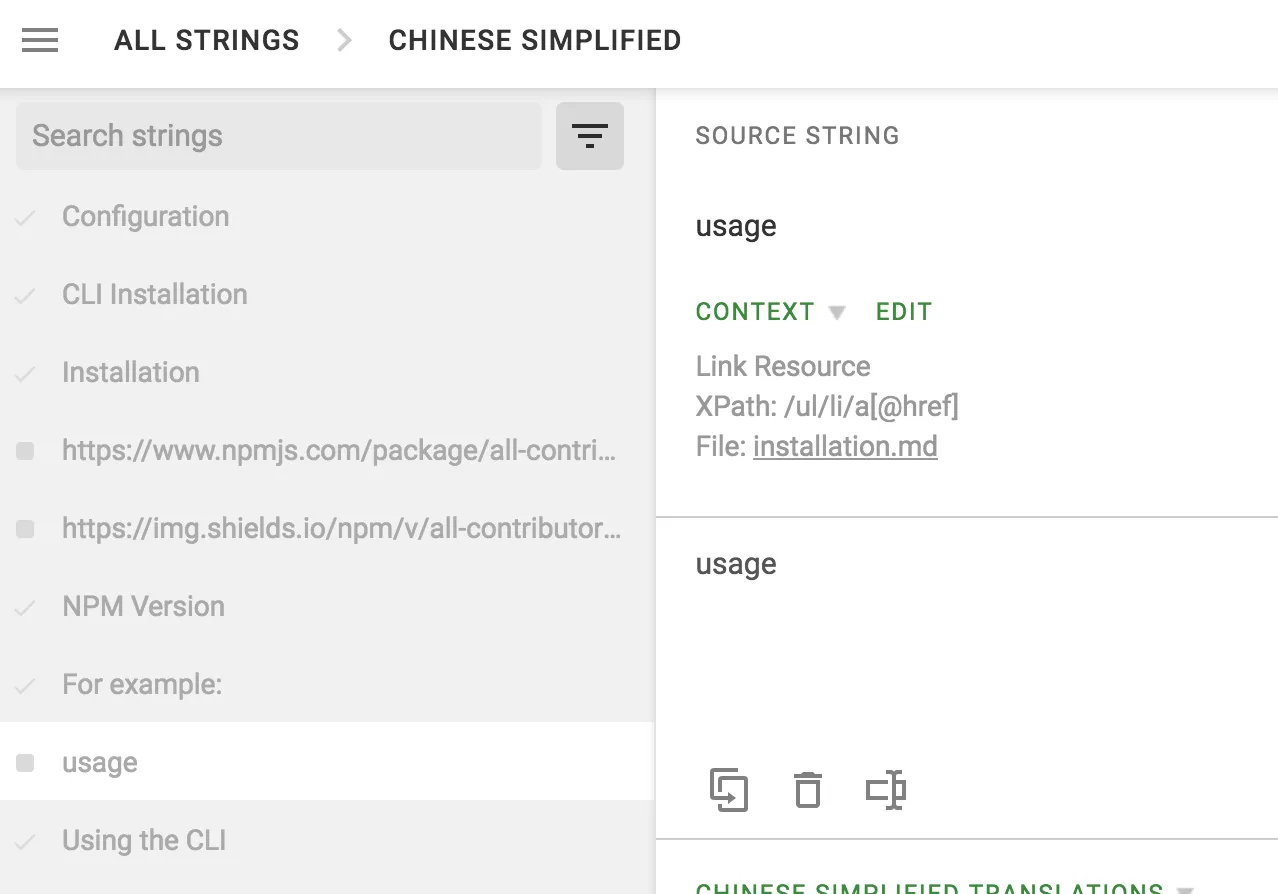
Do translate the explanatory text around code, such as the comments inside a code block, because it helps readers understand the example. Only do that when the translation doesn’t change the code itself, since commands and configuration are always written in English.
When translations go live
Section titled “When translations go live”Translations are downloaded from Crowdin when the production site is built, so your translation appears on the website with the next production deployment after you save it. Previews of pull requests are built without translations.
Next steps
Section titled “Next steps”- Contributing lists other ways to help.
- Maintaining the website explains how translations reach the site.