
Specification
The All Contributors specification describes how you can recognize all of the different types of contributions that people make to your open source project beyond just code. This page describes what you need to do to follow the specification and how you can customize its configuration. Using the all-contributors app and the CLI will create a table for you, by default in your README.md file, in a clean format that lists the contributors to your project. This page is most useful if you want to understand why the table looks the way it does, and when you might want to update it manually.
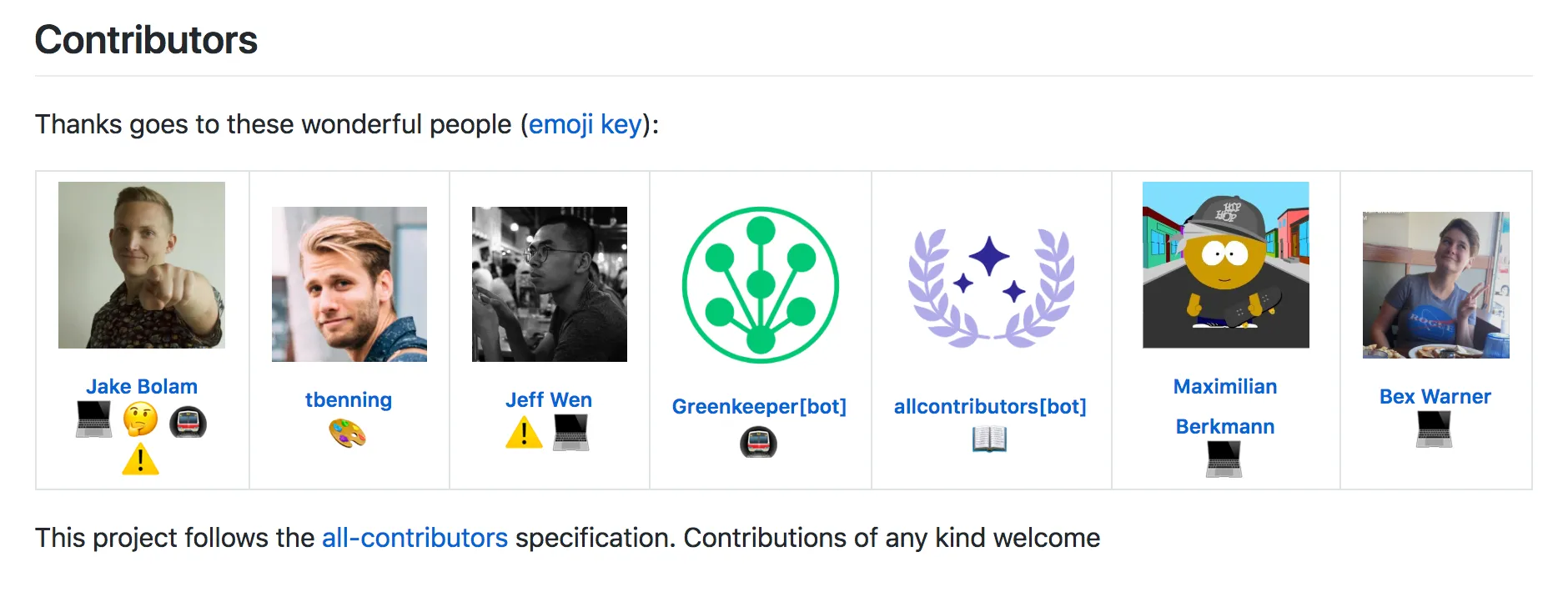
The bot and the CLI tools create a clean table which appears by default in your project’s README file. It looks something like this:
Mandatory
Section titled “Mandatory”To follow the all-contributors specification, you need to have the following three things set up in your project:
1. Your project needs a contributors section in a README (or other landing) file
Section titled “1. Your project needs a contributors section in a README (or other landing) file”Most projects display the contributor table in their README.md file in a
prominent “Contributors” section given this is the default landing page for
platforms including GitHub, GitLab and Codeberg. However, you can choose to
display the table somewhere else as long as it’s prominent in your
repository.
If your contributor section becomes too large to display in the README
file, you can move it to a CONTRIBUTORS.md file in the top level of your
repository. The README should then contain a link to that file under its
“Contributors” heading, so that the list is easy to find.
Click here to learn how to move the table to another file.
2. Format your contributor list as a table
Section titled “2. Format your contributor list as a table”The second requirement of the All Contributors specification is to format the list of contributors as a table. Each contributor listed in that table should contain the following information:
- Their name.
- A link to a page where visitors can learn more about them. The contributor chooses this page, or the project does so, so that it can be a personal website, a profile, or anything else suitable.
- An indication of their contribution type displayed as text or as an emoji icon, taken from the contribution categories. The indication links to the category.
The list can run over several rows. Each row is technically its own table. You can order the contributor table however you wish. For example, you may opt to order the table by contribution date or alphabetically.
3. Include every kind of contribution
Section titled “3. Include every kind of contribution”Using this specification, a contributor is anyone who contributes to your project in any of the contribution categories, at any level. Level covers both frequency and volume, so a one-time issue, bug, or other contribution counts too. The specification is inclusive by definition, and it recommends against leaving anyone out because their contribution seems “small”.
If your project deviates from this, for example, by using its own
categories or by requiring a minimum level of contribution, document
your definition of a contributor in your CONTRIBUTING file or another
prominent public document at the top level of your repository.
If you want to show how much someone contributed, you can add indicators of effort to the list, as long as the list still includes everyone. The specification doesn’t define such indicators, so it’s up to you.
Optional
Section titled “Optional”The All Contributions specification also encourages you to take recognition one step further by:
- Including each contributor’s image or avatar in the table. The CLI and App tools will add this for you by default if you are using GitHub or GitLab.
- Linking the contribution indicator to the pages that show the contribution, such as the commits for code or the issues for bug reports. This gives visitors more information about what the person did.
Next steps
Section titled “Next steps”- Emoji key lists the contribution categories and their keywords.
- Choose a tool to produce a table that follows the specification without editing it by hand.