
Tooling
Learn how you can use tools to automatically update your contributors.
Why We Created the All Contributors Bot and CLI
Section titled “Why We Created the All Contributors Bot and CLI”Implementing the All Contributors spec by hand is a laborious process. To add contributors who have not contributed code to your project but have contributed in other ways requires manually editing your README.md file to add their name, profile link, and the appropriate contribution type emoji.
Further, you’d have to keep track of who has contributed what over time. This is a lot to manage, especially for larger projects with many contributors.
All Contributors Bot
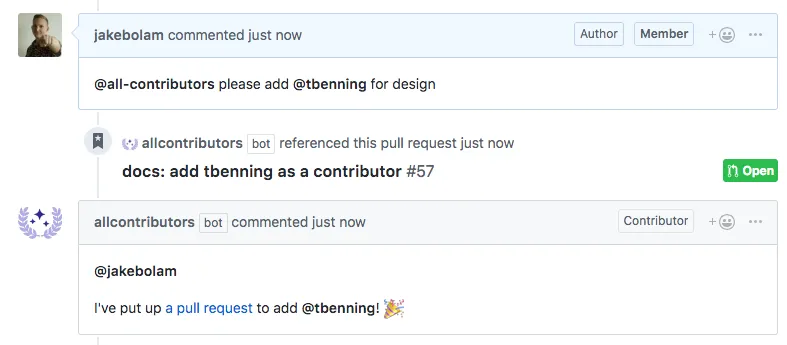
Section titled “All Contributors Bot”The @all-contributors bot 🤖, makes the process of adding contributors of all kinds simple. When called to add a user, the bot will automatically pull a user’s profile image, grab the contribution type emoji, update your project’s README.md file and then open a Pull Request against the project with the updated README.md file. ✨
All Contributors CLI
Section titled “All Contributors CLI”If you prefer command-line tools, you can instead use the all-contributors CLI tool to help automate adding contributor acknowledgements. Read more about the All Contributors CLI here.